Word Embeddings: How AI Understands ‘Similar Meaning’
Written by - Millan Kaul
Word embeddings turn words and text into vectors so AI can compare meaning, not just exact matches.
WHY?
For Developers and SDETs
- Word embeddings let AI measure similarity in meaning, not just exact text matches, which is crucial for smarter test data, duplicate bug detection, and intent‑based search.
- When you test features like “similar bugs”, “related tickets”, or “semantic search”, you’re really testing how good the embeddings are at capturing meaning.
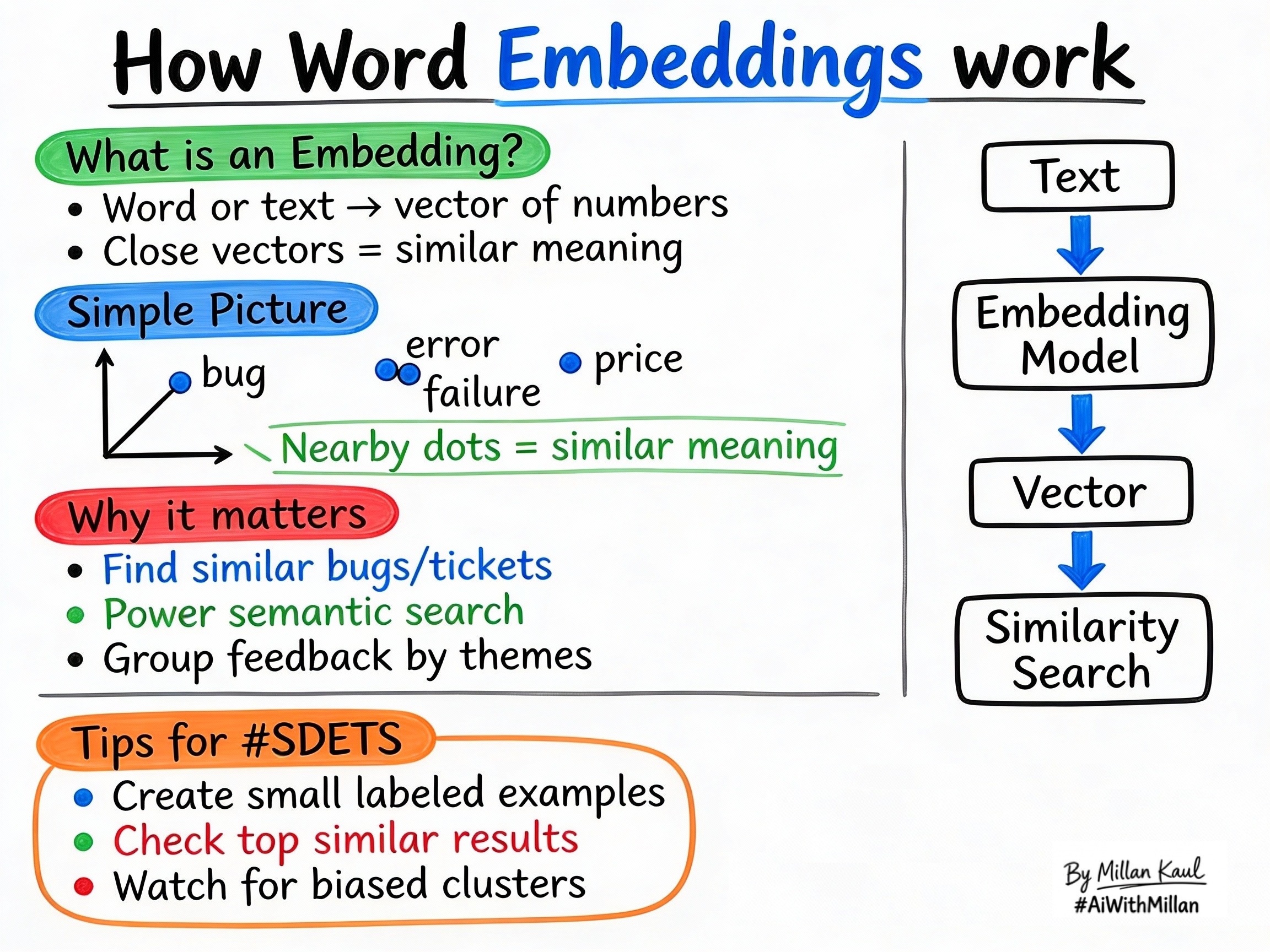
WHAT?
- A word embedding is a numeric representation of text. Each word, sentence, or document becomes a vector, and the closer two vectors are, the more similar their meaning is.
- Embeddings let AI treat text as math: similar meanings stay near each other in vector space, while unrelated concepts stay far apart.
- You can embed single words, short phrases, bug reports, log lines, or whole documents, so a range of text types can be compared consistently.
Concrete examples:
- The words “bug”, “error”, and “failure” are near each other in vector space, while “price” is far away.
- Short texts like “login issue”, “cannot sign in”, and “auth failed” map to nearby vectors because they describe the same problem.
Quick rule of thumb: embeddings measure meaning, not exact phrasing.
WHEN AND WHERE?
When embeddings matter most
- When testing semantic search: “find issues like this bug”, “related questions”, or “similar support articles”. These features rely on meaning similarity, not keyword matching.
- When validating RAG retrieval: the retriever usually uses embeddings, so retrieval quality depends on embedding quality.
- When defining scope: if a feature only uses keyword filters or exact IDs, embeddings may not be needed.
Where embeddings appear
- In related item features: similar tickets, similar logs, related knowledge base articles, or “similar bug” suggestions.
- In vector databases and similarity search services: they store embeddings and return the closest vectors for a query.
- In clustering and discovery: embedding vectors help group feedback, logs, or bug reports by meaning.
Practical examples:
- Bug triage: convert bug titles and descriptions into embeddings and surface the top similar bugs to spot duplicates.
- Log analysis: encode log lines into vectors and group them to find repeated failure patterns.
- Product feedback: customer comments like “hard to log in” and “password reset confusing” cluster together, revealing themes.
HOW?
Practical steps
- Turn text into vectors
- A model learns numeric vectors from text, so similar words and phrases produce similar vectors.
- Store or index embeddings
- Save vectors in a database or vector search service so you can compare them quickly.
- Compare with similarity metrics
- Use cosine similarity or dot product to find the closest vectors, which gives you the most similar items.
- Validate with examples
- Test whether expected similar texts appear near each other and whether unrelated texts stay far apart.
Real examples
- Bug family cluster: “timeout error”, “response too slow”, and “latency issue” group together as a performance-related cluster.
- Ticket deduplication: “page keeps spinning” and “loading forever” map to similar vectors, helping the system flag potential duplicates.
- Theme discovery: customer feedback groups into themes like “onboarding confusing”, “pricing unclear”, and “mobile app bugs”.
Testing mindset for embeddings
- Create small labeled sets: texts that should be close and texts that should be far, then verify the returned neighbors.
- Measure top-k hit rate: how often the correct similar item appears in the top results.
- Watch for biased clusters: if certain user segments always group together, raise it as both a quality and fairness issue.
For Leaders
Why embeddings matter: relevance and retrieval quality are driven by embedding performance. If embeddings are weak, search, recommendations, and related-item features can give wrong or low-value results.
Where to watch: look at retrieval accuracy, semantic search performance, and how often related-item suggestions feel relevant. Embeddings affect model choice, search architecture, and customer experience.
Risk management: poor embeddings cause the system to surface bad matches or miss related content. Include “does retrieval rely on meaning similarity?” in pre-mortems and feature risk checks.